Archive for the ‘after effects’ Category

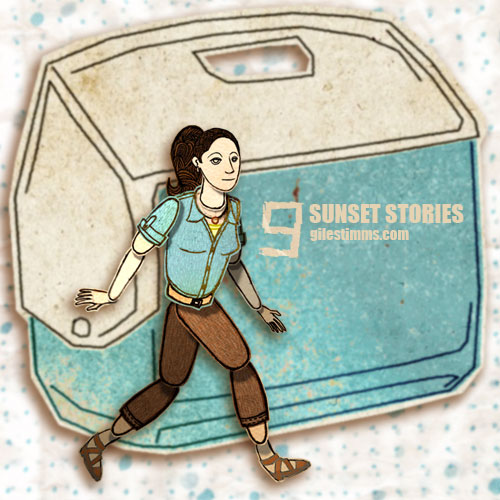
Cooler Opening Title Design, Cutout Animation Character Chaz

Cooler Opening Title Design, Cutout Animation Character Chaz, Giles Timms 2011
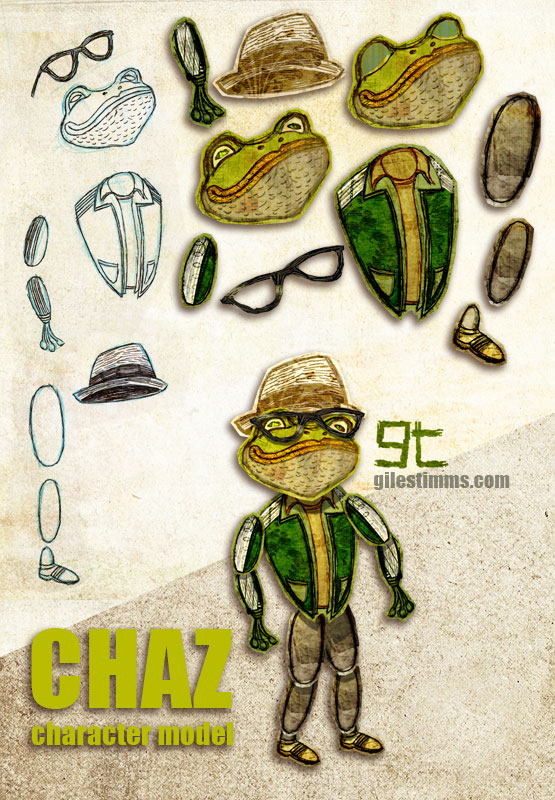
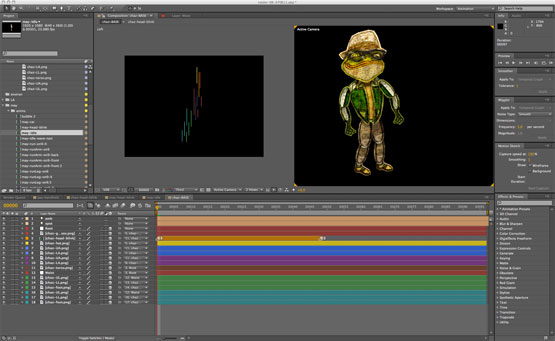
Above is a cutout animation character called ‘Chaz’ for the opening tile sequence that I am animating for the independent film, ‘Cooler’. I am also animating several animated sequences within the film.

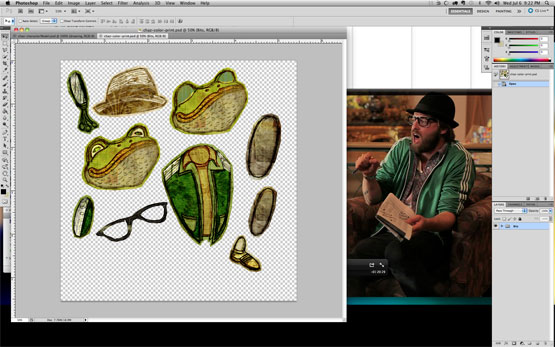
This model sheet shows my cutout character design process and includes my initial character design hand drawn on paper with pencil, pen and ink, the cutout body bits colored and textured in Photoshop and the final character rig assembled in After Effects. I’ve also included screen shots of the cutout character in Photoshop (with the live action character reference) and the rigged character in After Effects.

Cooler Opening Title Design, Cutout Animation Character Chaz in Photoshop, Giles Timms 2011

Cooler Opening Title Design, Cutout Animation Character Chaz in After Effects, Giles Timms 2011

‘Cooler’ is directed by Silas Howard and Ernesto Foronda.
‘Cooler’ on IMDB

Lucky, an HBO Documentary

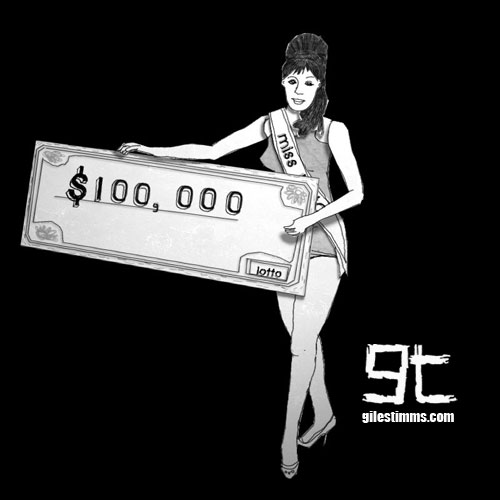
Lucky, an HBO Documentary, Giles Timms 2010

I created several of the animated sequences for ‘Lucky,’ a documentary that aired on HBO last month.
The documentary, by Jeffrey Blitz, aired on July 19th as part of HBO’s summer of documentaries. ‘Lucky’ focuses on “chronicling the many, and often sobering, effects winning a big jackpot can have on a person” (Television review: ‘Lucky’ on HBO by the Los Angeles Times).

The above character design is Miss Lotto. She was one of the characters that never made it into the final cut. Miss Lotto is a very simple cut-out character composited and animated in After Effects. Miss Lotto was drawn in Photoshop with a Wacom, lightly textured in Photoshop, cut out and then all her girly bits were imported into After Effects.

Lucky premiered at Sundance 2010.

Tribute Illustration for the Cover of MungBeing Magazine

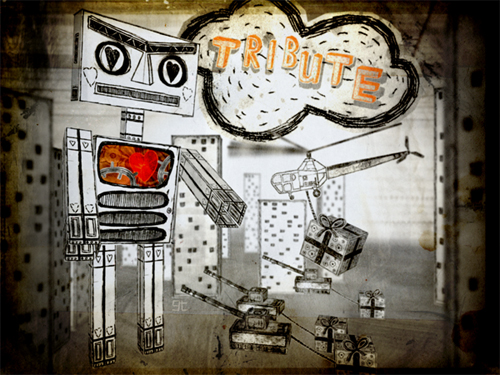
Tribute Illustration, MungBeing Cover, Giles Timms 2010
This is the illustration, entitled ‘Tribute,’ that I created for the cover of MungBeing Magazine. The illustration was for Issue #31 for the theme of tribute. Hand drawn, colored in Photoshop and composited in After Effects.

If you’d like a free iPhone/iPod Touch sized wallpaper, you can download a wallpaper of this illustration here: http://www.gilestimms.com/wallpapers.html

Thanks to Mark Givens, editor of MungBeing :)

ROBOT Love

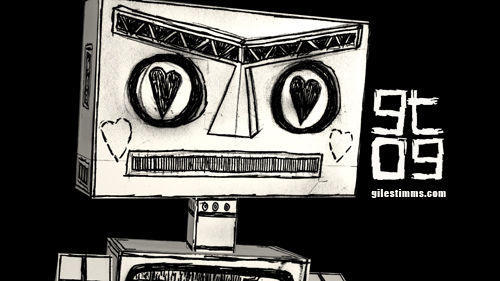
ROBOT Love, Giles Timms 2009

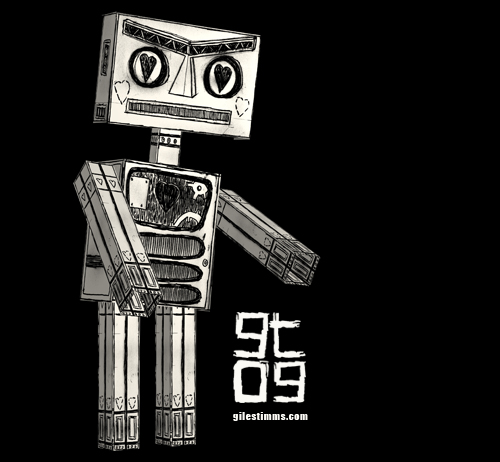
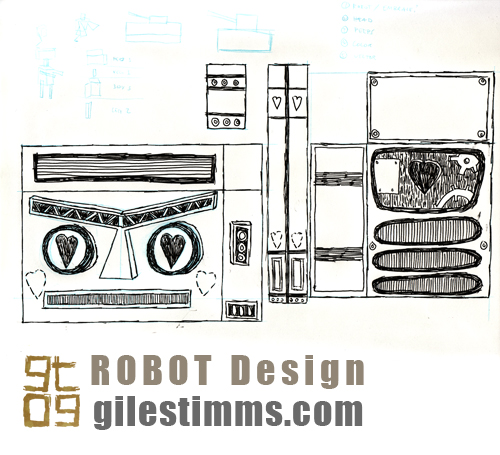
ROBOT Love – Here’s a robot design I made for a character concept as part of a music video treatment. Hand drawn, edited in photoshop, built in 3D (2.5D) and rendered in After Effects.

ROBOT Love, Giles Timms 2009

Below is the pen and ink, original drawing showing the character design of the robot bits.
Fairly simple :)

ROBOT Love design, Giles Timms 2009

How to render an iPhone wallpaper from After Effects

iPhone/iTouch Wallpaper, Yorrick from 'Dead All Along,' © Giles Timms 2009

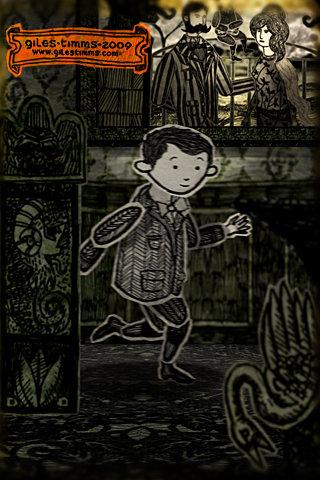
Above is my first iPhone/iTouch wallpaper, which was created from my animated music video ‘Dead All Along.’ I’ve added a wallpaper section to my website so that I can add more free wallpapers for download.

The following is an easy tutorial on how to render out stills from your After Effects film and create great looking wallpapers for an iPhone or iTouch, by taking advantage of the iPhone and iTouch native resolution.

    Technical Info

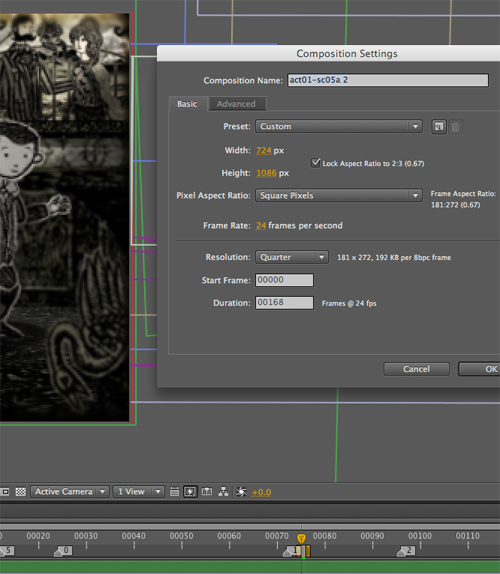
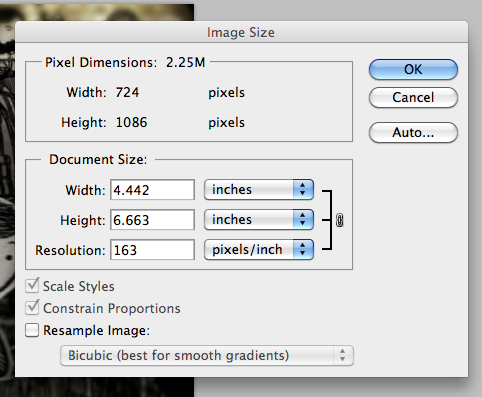
An iPhone and iTouch both have display sizes of 320x480px, at 2:3 aspect ratio and a resolution of 163ppi. After Effects renders out stills at 72ppi. So to ensure that the film frames look as good as possible on the small iPhone and iTouch screens we simply have to render out a larger still image from After effects at a 2:3 aspect ratio and then resize in Photoshop. The larger After Effect image needs to be 2.26388889 times (163 divided by 72) larger than the iPhone/iTouch display and use a composition size of 724 x 1086.

    Steps

1. With your scene selected in After Effects, change the Composition Settings (composition–>settings) so that the width and height are 724 by 1086 (see screenshot below)

After Effects Composition Settings

2. Move the camera, and possibly props/characters to ensure the composition is still good
3. Render out the single frame as a PNG sequence
4. Open the png render in Photoshop and resize the image’s Resolution setting (Image–>Image Size) to 163 making sure to deselect the ‘Resample Image:’ check box (see screen shot below)

Photoshop Resize

5. Save the image
6. Lastly, two optional steps you can perform to increase the quality of your image are to increase the Saturation (Image–>Adjustments–>Hue/Saturation) and apply an Unsharp Mask (Filter–>Sharpen–>Unsharp Mask). The amount is dependent upon the image so you will probably have to fiddle and test the results.

Animator on Jeffrey Blitz’s Lucky

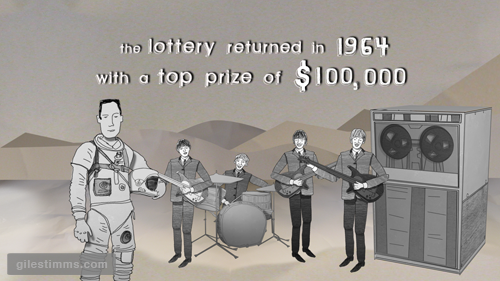
One of my animated stills from the film Lucky, by Jeffrey Blitz

The above is a still from one of the animated sequences I illustrated and animated for Jeffrey Blitz’s new documentary, Lucky. Lucky premiered at Sundance 2010. I was fortunate to work again as an animator and illustrator with Bill Barminski from Walter Robot on this production and it was also great working with Jeffrey Blitz. I found Jeffrey to be a very intelligent and challenging director. The sequences were animated in After Effects, with the illustrations drawn and colored/textured in photoshop.

The reviews of Lucky have been positive and it seems people also liked the animated sequences, as this review from Scott Weinberg testifies “with nifty animated interstitials full of interesting jackpot stats.” You can read Scott’s full review here:

http://www.cinematical.com/2010/01/27/sundance-review-lucky/

I’m excited to see the full film. Please leave a comment if you’ve seen the film and let me know what you thought, thanks.

UCLA Anderson School of Management

This is the animated video I completed for the UCLA Anderson School of Management for their home page video and call to action campaign. It’s an animated video of Max Ohlendorf’s original audio application for the MBA program at UCLA. The production company was Fraser Communications.

Hand drawn, Photoshop and TVPaint elements with compositing and animation in After Effects.

Illustration Friday: Fast

Illustration Friday: Fast, Giles Timms 2009

My entry for Illustration Friday, ‘Fast.’ Created in Photoshop and After Effects.

Fast - detail, Giles Timms 2009
Detail

Fast - detail, Giles Timms 2009
Detail

I approached the design of the illustration as though I were going to animate it. I drew the cut-out character, props and scenery on paper in pencil, and then pen and ink – archer, bow, arrow, tree etc. Once scanned into the computer I colored and textured the drawings in Photoshop and then imported all the cut-outs into After Effects where I set up 2 scenes; one of the archer in the forest, the other of the arrows. Once the scenes were complete I rendered them out and brought them back into Photoshop to create the final comic-styled illustration.

Archer Cut-out Designs, Giles Timms 2009

Archer Colored Cut-outs, Giles Timms 2009

Scene Setup in After Effects, Giles Timms 2009

Bird Design Cut-Out for Dead All Along

Bird Design Cutout - Dead All Along, Giles Timms 2009

I thought I’d explain the design process for my characters from my animated music video, ‘Dead All Along.’

In the image above you can see the original character design drawing, top left. All the characters for ‘Dead All Along’ started on paper, first as blue pencil drawings, then as pen and ink. I scanned the drawing into photoshop and tweaked the levels so that I the texture of the paper is visible – I really wanted to make the ‘Dead All Along’ world seem as if it was a paper world, almost as though an Edward Gorey inspired book had come to life.

Once in Photoshop, I ‘cut out’ each part of the character so that it can be animated in a cut-out animation style within After Effects. This character didn’t have to animate too much so it only has 9 separate bits, including 2 heads for the blink (eye open, eye closed). You can see the separate body bits in the bottom right of the above image. I cut and separate the body bits using the polygonal lasso tool in Photoshop creating a loose outline of the body part.

For coloring, I like to color in Photoshop. I use Photoshop because I can easily combine textures with the original character drawing and also because I like to be able to experiment with color ideas. I typically use textures in my coloring process and the characters for ‘Dead All Along’ were also colored with a lot of textures. I keep a texture library of textures on my computer that are scans and photographs of textures, patterns etc. One of my favorite set of textures is a book of origami paper that I scanned in – I used several of these origami papers to color and texture the characters in ‘Dead All Along.’ I’m also fond of the Maxon collection of comic patterns, and I have several of these scanned that I use. Below you can see a screen-shot of my texture library (top), a screen-shot of the textures and layers of the coloring process in Photoshop (middle), and a sample of the texture palette I used for the bird (and yes, that is a wallpaper pattern from the 1970′s :)

screen-shot of my texture library

Photoshop screen-shot of texture and color layers

Texture Palette, Giles Timms 2009

Dead All Along, Opening Scene

Dead All Along, Opening Scene, Giles Timms 2009
A still image from the opening scene for my animated music video, ‘Dead All Along’ performed by Welsh musician Ceri Frost.

Here is the revised treatment for the music video.

Logline: Enchanted by a fairy and transformed into a faun, a child called Yorick briefly journeys in the fairy kingdom, but when Yorick returns to his family he discovers that he and his family are already dead.

This is based on the myth of Tir Nan Og, an alternate or parallel universe, a place where time stands still and there is no sickness or death. The fairy kingdom is said to be a hilltop one, but invisible, or composed of magnificent underground cities. Fairy kings and queens rule there. Humans who enter the fairy realm cannot leave once the door closes behind them. Those who do leave may find that years have passed on earth during what was, for them, but minutes in the fairy kingdom.

I’m working hard on finishing this up this weekend so that it can be shown at UCLA’s PROM, the Animation Film Festival, on June 6th :)

Hand drawn and Photoshop with compositing in After Effects.

Return top