Posts Tagged ‘dead all along’

How to render an iPhone wallpaper from After Effects

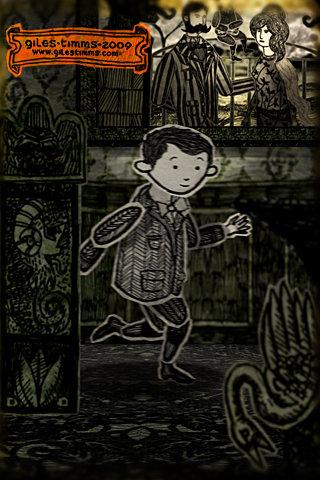
iPhone/iTouch Wallpaper, Yorrick from 'Dead All Along,' © Giles Timms 2009

Above is my first iPhone/iTouch wallpaper, which was created from my animated music video ‘Dead All Along.’ I’ve added a wallpaper section to my website so that I can add more free wallpapers for download.

The following is an easy tutorial on how to render out stills from your After Effects film and create great looking wallpapers for an iPhone or iTouch, by taking advantage of the iPhone and iTouch native resolution.

    Technical Info

An iPhone and iTouch both have display sizes of 320×480px, at 2:3 aspect ratio and a resolution of 163ppi. After Effects renders out stills at 72ppi. So to ensure that the film frames look as good as possible on the small iPhone and iTouch screens we simply have to render out a larger still image from After effects at a 2:3 aspect ratio and then resize in Photoshop. The larger After Effect image needs to be 2.26388889 times (163 divided by 72) larger than the iPhone/iTouch display and use a composition size of 724 x 1086.

    Steps

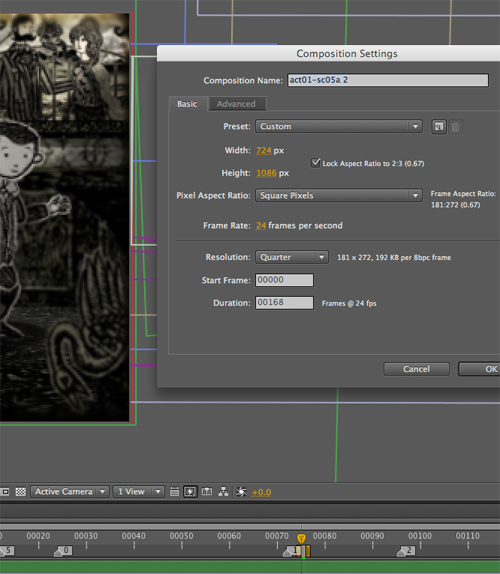
1. With your scene selected in After Effects, change the Composition Settings (composition–>settings) so that the width and height are 724 by 1086 (see screenshot below)

After Effects Composition Settings

2. Move the camera, and possibly props/characters to ensure the composition is still good
3. Render out the single frame as a PNG sequence
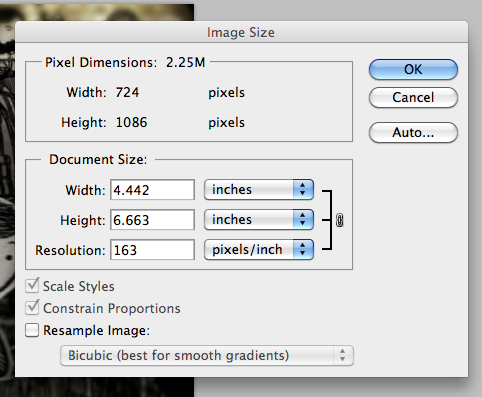
4. Open the png render in Photoshop and resize the image’s Resolution setting (Image–>Image Size) to 163 making sure to deselect the ‘Resample Image:’ check box (see screen shot below)

Photoshop Resize

5. Save the image
6. Lastly, two optional steps you can perform to increase the quality of your image are to increase the Saturation (Image–>Adjustments–>Hue/Saturation) and apply an Unsharp Mask (Filter–>Sharpen–>Unsharp Mask). The amount is dependent upon the image so you will probably have to fiddle and test the results.

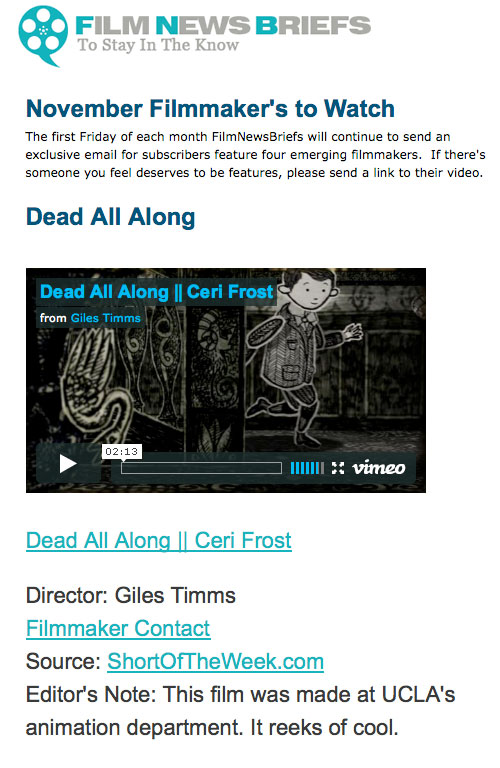
Featured as a Film News Briefs ‘November Filmmakers to Watch’

Dead All Along, Featured as a Film News Briefs 'November Filmmakers to Watch'
Another cool shout-out for my animated music video, ‘Dead All Along’ and work in general. I was featured as “an emerging filmmaker to watch” as part of Film News Briefs November Filmmakers to Watch newsletter. The archive of the newsletter is here: Film News Briefs: November Filmmakers to Watch

Big thanks to Jessica Kantor :)

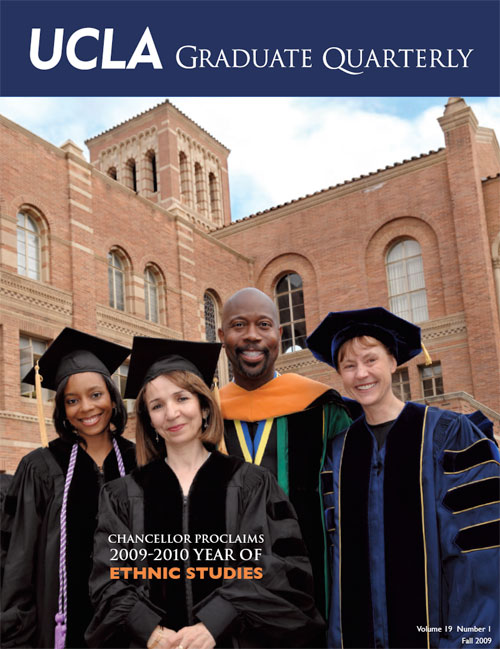
Featured Graduate Student Accomplishment in the UCLA Graduate Quarterly

UCLA Graduate Quarterly Student Accomplishment Feature, Giles Timms 2009
I was really excited and honored to be the Featured Graduate Student Accomplishment in the UCLA Graduate Quarterly. My work on my animated music video, ‘Dead All Along,’ was the featured accomplishment in the Fall 2009 Issue, Volume 19, Number 1. You can download a pdf copy of the issue here: UCLA Graduate Quarterly, fall 2009

Many, many thanks to Mary Watkins at UCLA :)

UCLA Graduate Quarterly

Dead All Along Featured on Channel Frederator

Dead All Along, Giles Timms 2009

My animated music video, ‘Dead All Along’, performed by Ceri Frost, is featured this week on Channel Frederator on their Frederator Show along with an interview on the Frederator Blog.

Channel Frederator YouTube Feature: http://www.youtube.com/watch?v=ZiLMnSFHY0k
Channel Frederator Show Feature: http://www.channelfrederator.com/frederator/episode/CFR_20091110
Frederator Blog Interview: http://frederatorblogs.com/channel_frederator/2009/11/12/giles-timms-dead-all-along/

Channel Frederator is the ‘cartoon central on the internet and features original cartoons.’

Thanks ever so much to Bailee DesRocher and Bobby Miller :)

Channel Frederator

Portable Film Festival – Film of the Day

Dead All Along, Giles Timms 2009

‘Dead All Along’ is featured as the ‘Film of the Day’ on the Portable Film Festival front page and blog.

Portable Film Festival: www.portablefilmfestival.com
Portable Film Festival Blog: Dead All Along – Film of the Day

Big thanks to Al Cossar and the rest of the crew at www.portablefilmfestival.com :)

‘Dead All Along’ Featured on Boing Boing

Dead All Along, Giles Timms 2009

‘Dead All Along,’ my animated music video, is also featured on Boing Boing:
http://www.boingboing.net/2009/10/07/dead-all-along-gorey.html

Big thank you to Xeni and David and the rest of the crew at Boing Boing!

Performed by Ceri Frost

BoingBoing

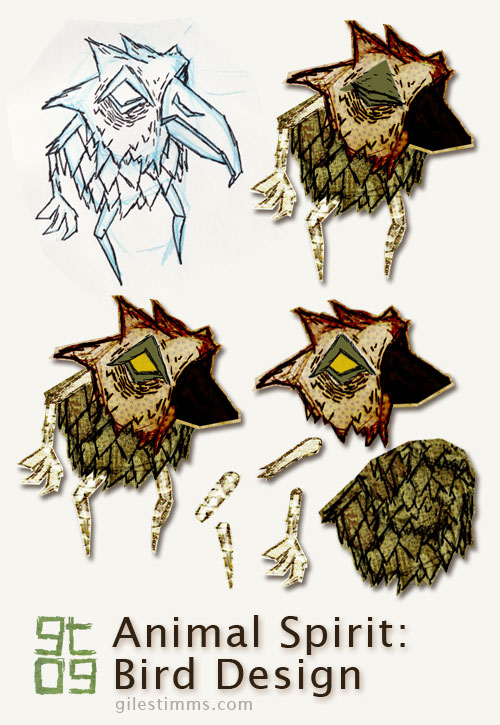
Bird Design Cut-Out for Dead All Along

Bird Design Cutout - Dead All Along, Giles Timms 2009

I thought I’d explain the design process for my characters from my animated music video, ‘Dead All Along.’

In the image above you can see the original character design drawing, top left. All the characters for ‘Dead All Along’ started on paper, first as blue pencil drawings, then as pen and ink. I scanned the drawing into photoshop and tweaked the levels so that I the texture of the paper is visible – I really wanted to make the ‘Dead All Along’ world seem as if it was a paper world, almost as though an Edward Gorey inspired book had come to life.

Once in Photoshop, I ‘cut out’ each part of the character so that it can be animated in a cut-out animation style within After Effects. This character didn’t have to animate too much so it only has 9 separate bits, including 2 heads for the blink (eye open, eye closed). You can see the separate body bits in the bottom right of the above image. I cut and separate the body bits using the polygonal lasso tool in Photoshop creating a loose outline of the body part.

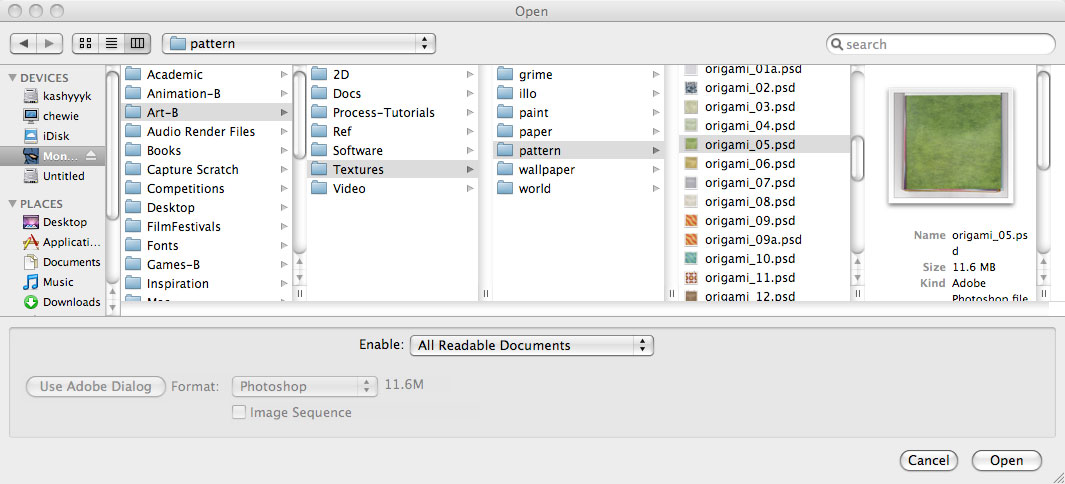
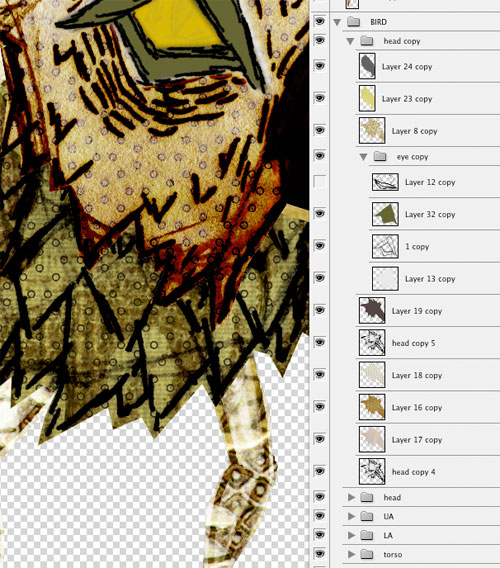
For coloring, I like to color in Photoshop. I use Photoshop because I can easily combine textures with the original character drawing and also because I like to be able to experiment with color ideas. I typically use textures in my coloring process and the characters for ‘Dead All Along’ were also colored with a lot of textures. I keep a texture library of textures on my computer that are scans and photographs of textures, patterns etc. One of my favorite set of textures is a book of origami paper that I scanned in – I used several of these origami papers to color and texture the characters in ‘Dead All Along.’ I’m also fond of the Maxon collection of comic patterns, and I have several of these scanned that I use. Below you can see a screen-shot of my texture library (top), a screen-shot of the textures and layers of the coloring process in Photoshop (middle), and a sample of the texture palette I used for the bird (and yes, that is a wallpaper pattern from the 1970’s :)

screen-shot of my texture library

Photoshop screen-shot of texture and color layers

Texture Palette, Giles Timms 2009

‘Dead All Along’ Featured on Motionographer.com

Dead All Along, Giles Timms 2009

My latest project, an animated music video, ‘Dead All Along’ is also featured as a Motionographer.com Quickie:
http://motionographer.com/2009/09/28/dead-all-along-a-gorey-esque-short-film-by-giles-timms/

Motionographer.com features motion graphic, film and animation work from studios, freelancers and students.

Big thank you to Motionographer.com!

Interview and Article in UCLA Daily Bruin

Interview and Article in UCLA Daily Bruin, Giles Timms 2009

The UCLA Daily Bruin newspaper featured an article about my work on my animated music video, ‘Dead All Along,’ in today’s paper, Monday, September 28th 2009. Ceri Frost, the musical artist, and Bill Barminski, of Walter Robot Studios, were also interviewed. I had the honor of having Bill Barminski on my thesis committee for ‘Dead All Along’ :)

Katie Meschke was the writer for the article and did an excellent job putting the whole thing together. Thanks Katie!

Also, thanks to Maryia Krivoruchko, the musical editor at UCLA Daily Bruin newspaper!

‘Dead All Along’ was created at the UCLA Animation Workshop at UCLA’s School of Theater, Film and Television.

More Features for Dead All Along

Dead All Along, Giles Timms 2009

‘Dead All Along’, performed by Ceri Frost, has also been featured at the following sites:

DailyMotion.com – Arts Channel
RadarMusicVideos.com – Featured Music Video
QOOB.tv – QOOB Choice

Big thank you to Caroline Bottomley of RadarMusicVideo.com.

Return top